
Overview
Nutrition history shows prior days of logging so you can reflect on patterns.
Intake-related screens help capture structured nutrition context used by planning and care workflows.
Why use it
History is how you learn what actually happened last week — not what you meant to do.
Where to find it
How to
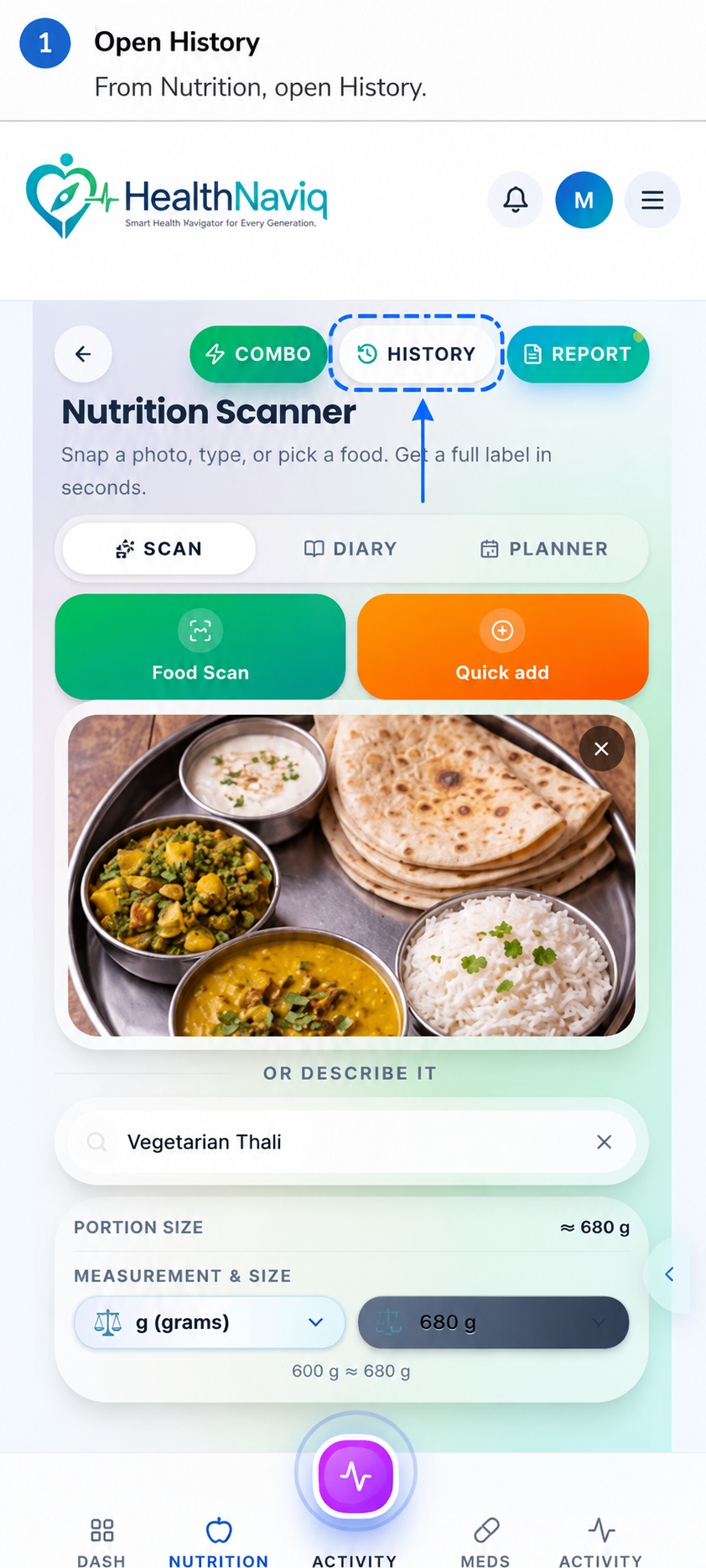
- 1Open History
From Nutrition, open History.
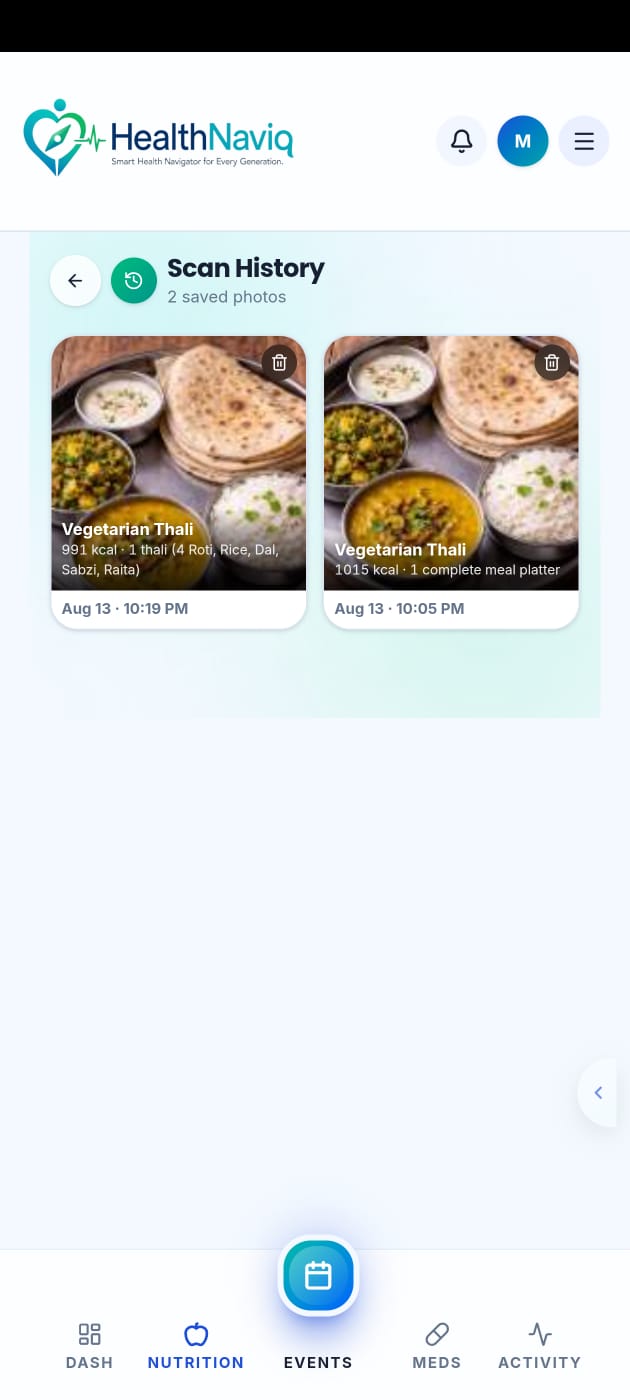
- 2Select a day
Browse previous logs.
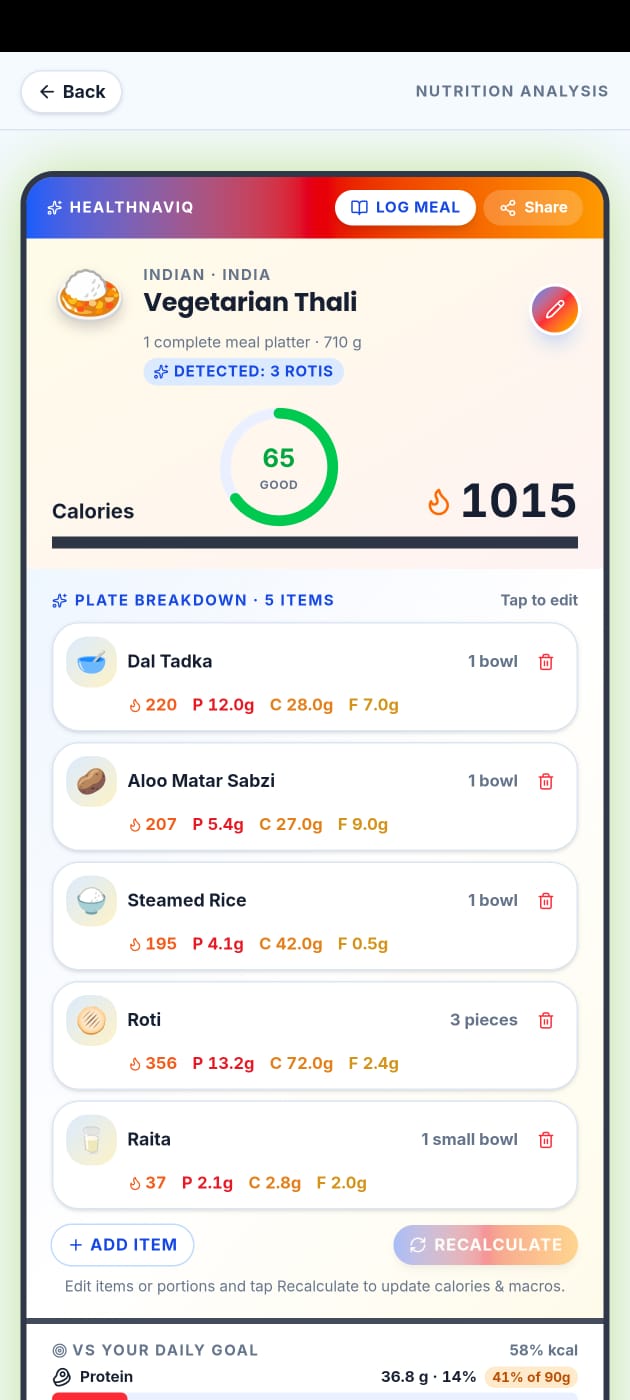
- 3Open a meal to edit
Fix mistakes so trends stay trustworthy.
Buttons & controls
| Control | What it does |
|---|---|
| History | Opens past days. |
| Edit meal | Corrects an entry. |
| Intake | Captures structured intake information where available. |
Tips
Notes
Troubleshooting
History missing a day
That usually means nothing was logged — add a late entry if you still remember.
Related
See related articles linked from this topic for the next steps.