
Overview
AI Copilot is a conversational helper inside HealthNaviq. You can ask about routines, summarize what you have tracked, or get ideas for questions to bring to a clinician.
Copilot is designed for wellness organization and education-style support — not emergency response and not diagnosis.
Why use it
It is faster than scrolling every module when you want a plain-language overview of your recent activity.
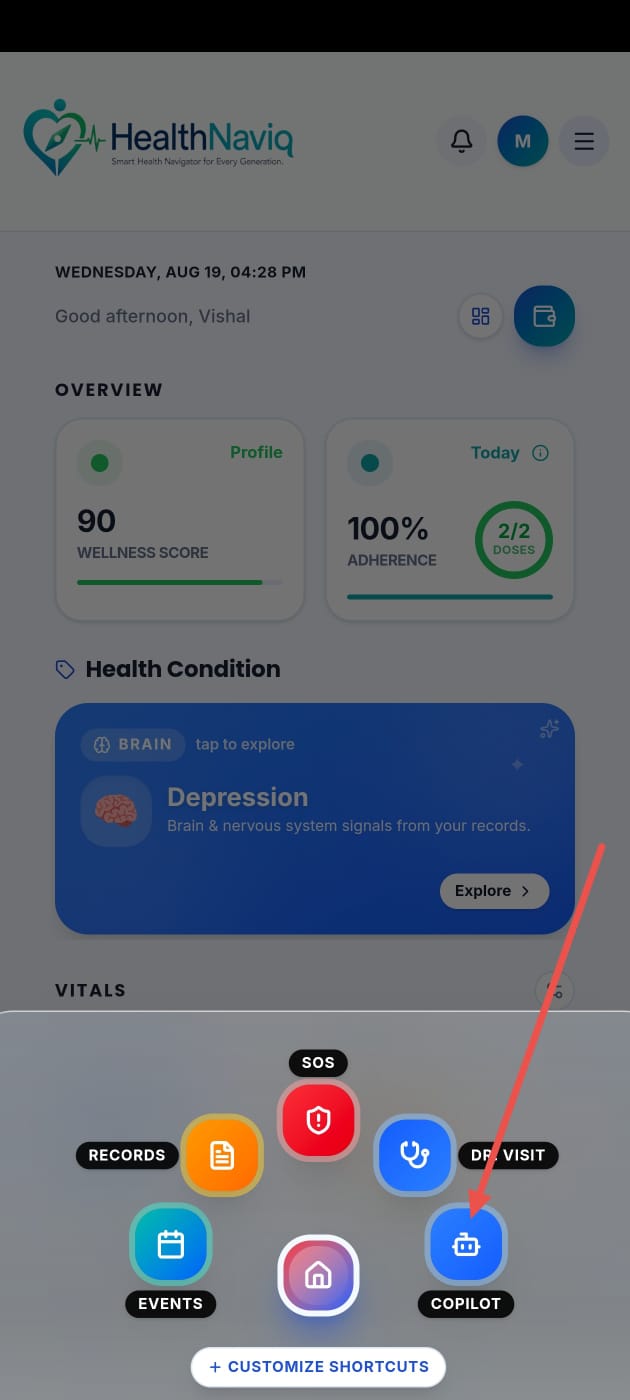
Where to find it
How to
- 1Open Copilot
Go to Copilot from navigation or Quick Dial.
- 2Ask a clear question
Type what you want help with, such as preparing for a visit or reviewing meds you tracked.
- 3Review the answer
Read carefully and verify important details in the source modules.
- 4Take action in-app
Use links/suggestions to open Medications, Appointments, or other modules when offered.
Buttons & controls
| Control | What it does |
|---|---|
| Send | Submits your question. |
| Suggested topics | Starts common prompts from cards or Quick Dial. |
| New chat / clear | Starts fresh when you want a new thread (if available). |
Tips
Notes
Troubleshooting
No response
Check network connectivity, wait a moment, and retry. If it persists, contact Support.
Answer seems outdated
Open the underlying module — newly logged data may not be reflected until it is saved/synced.
Related
See related articles linked from this topic for the next steps.