
Overview
Logging doses builds an adherence history you and caregivers can review.
You can log from the Medications list when a reminder arrives or when you remember a dose after the fact.
Why use it
History is more trustworthy than memory during busy weeks.
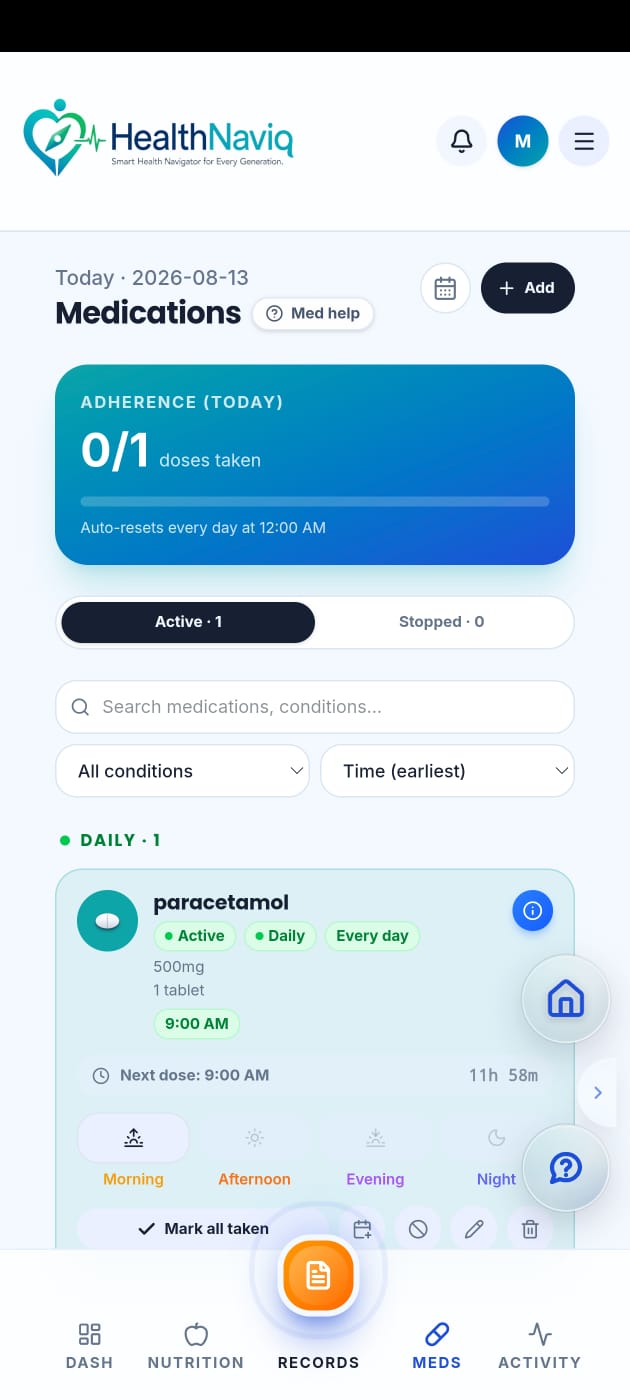
Where to find it
How to
- 1Open Medications
Go to your med list.
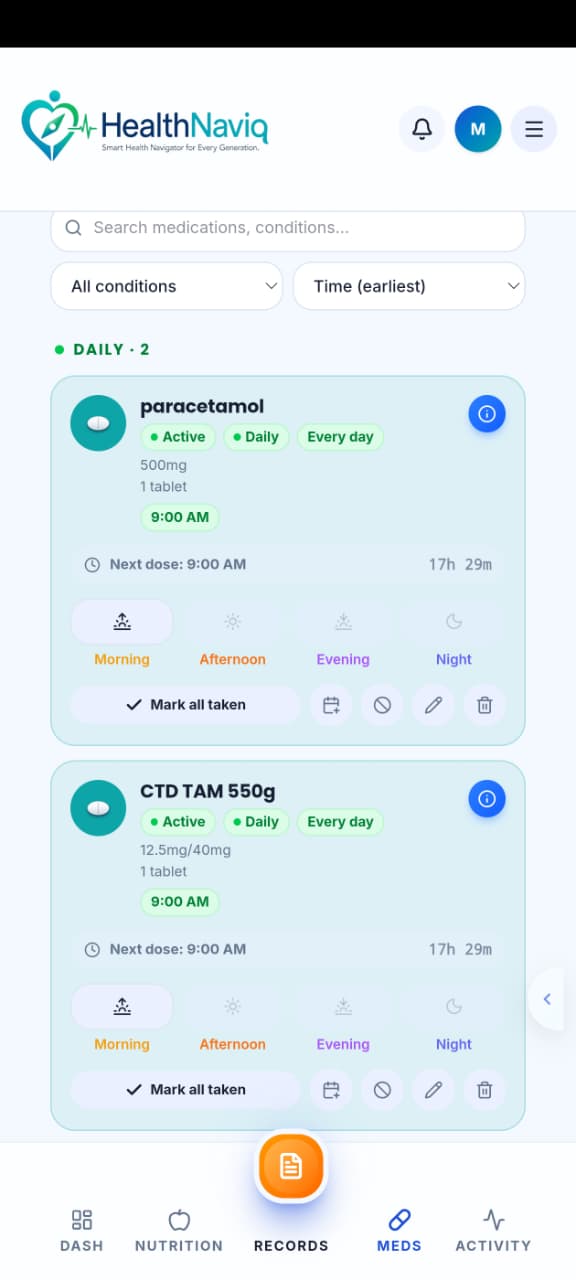
- 2Select the medicine
Choose the medicine you took.
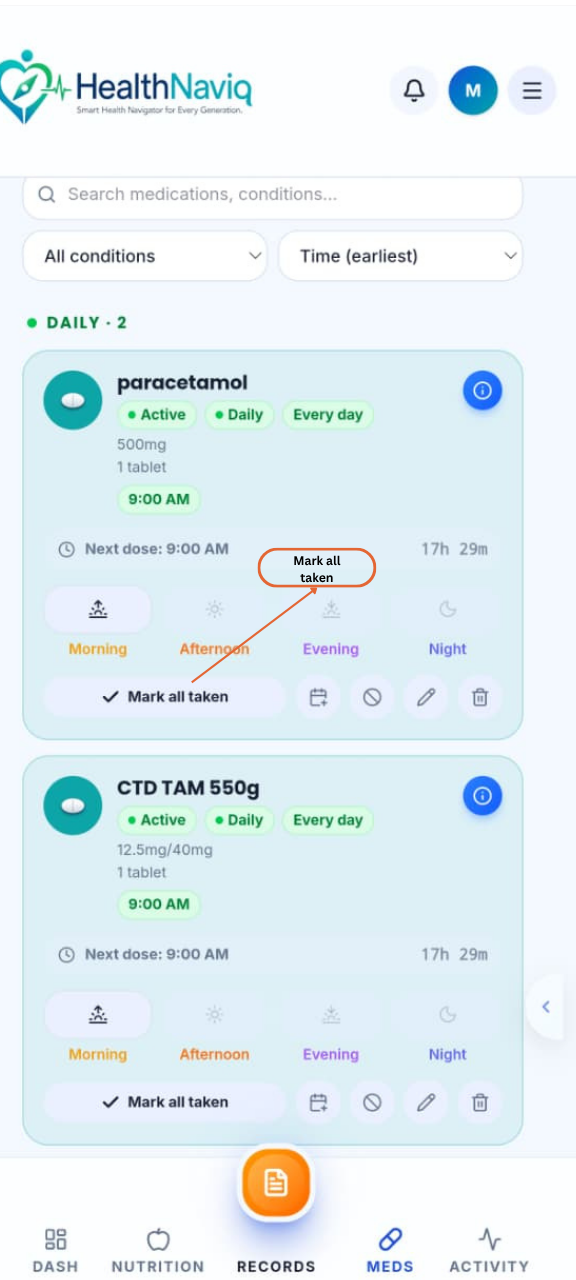
- 3Tap Log dose / Taken
Confirm the dose and time.
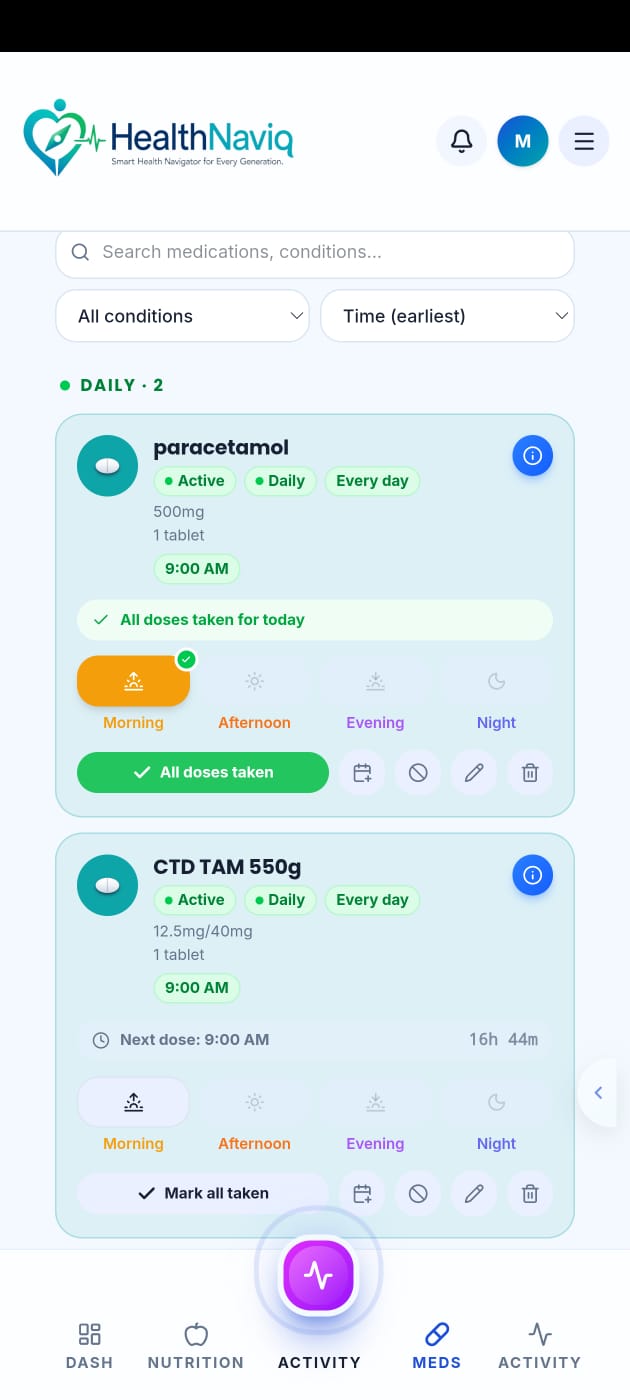
- 4Adjust if needed
If you are logging late, set the correct time when the UI allows.
Buttons & controls
| Control | What it does |
|---|---|
| Taken / Log dose | Records adherence. |
| Skip | Records that a dose was not taken when that option is available. |
| Undo | Corrects an accidental log if offered. |
Tips
Notes
Troubleshooting
Logged the wrong medicine
Open the entry and undo/delete the incorrect log if available, then log the correct medicine.
Related
See related articles linked from this topic for the next steps.