
Overview
Edit a medication when your clinician changes instructions, your pharmacy fill changes, or you need to correct a typo.
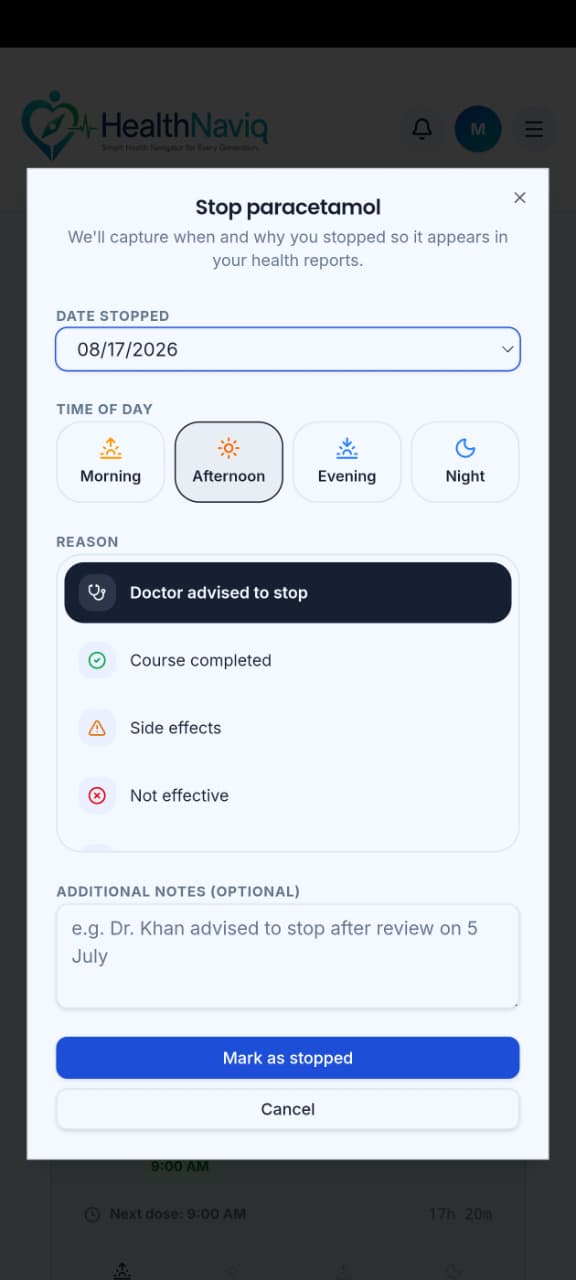
If you stop a medicine, update the entry so reminders do not keep firing.
Why use it
Keeping the list current prevents confusing alerts and outdated visit printouts.
Where to find it
How to
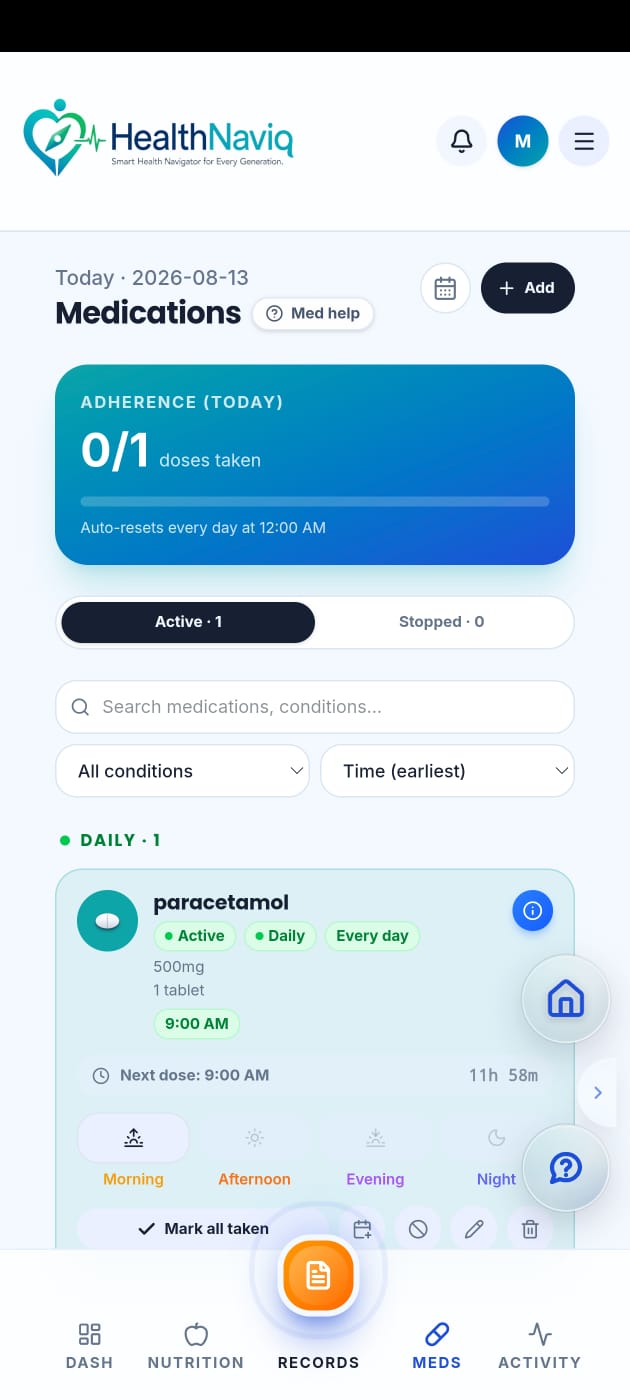
- 1Open the medicine
Tap the medication in your list.
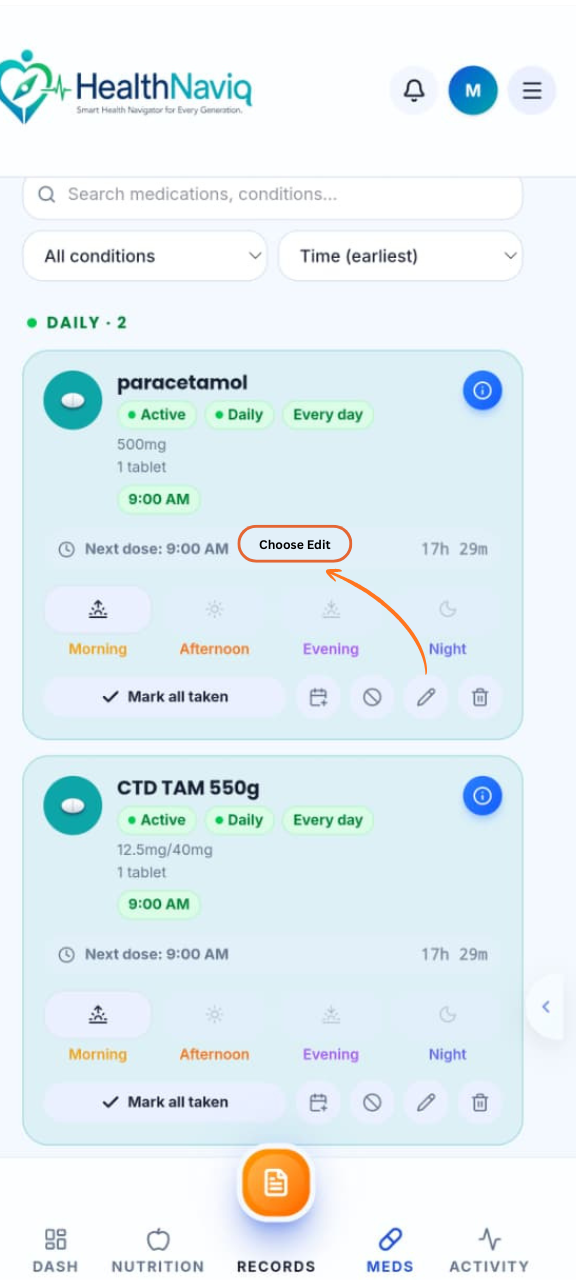
- 2Choose Edit
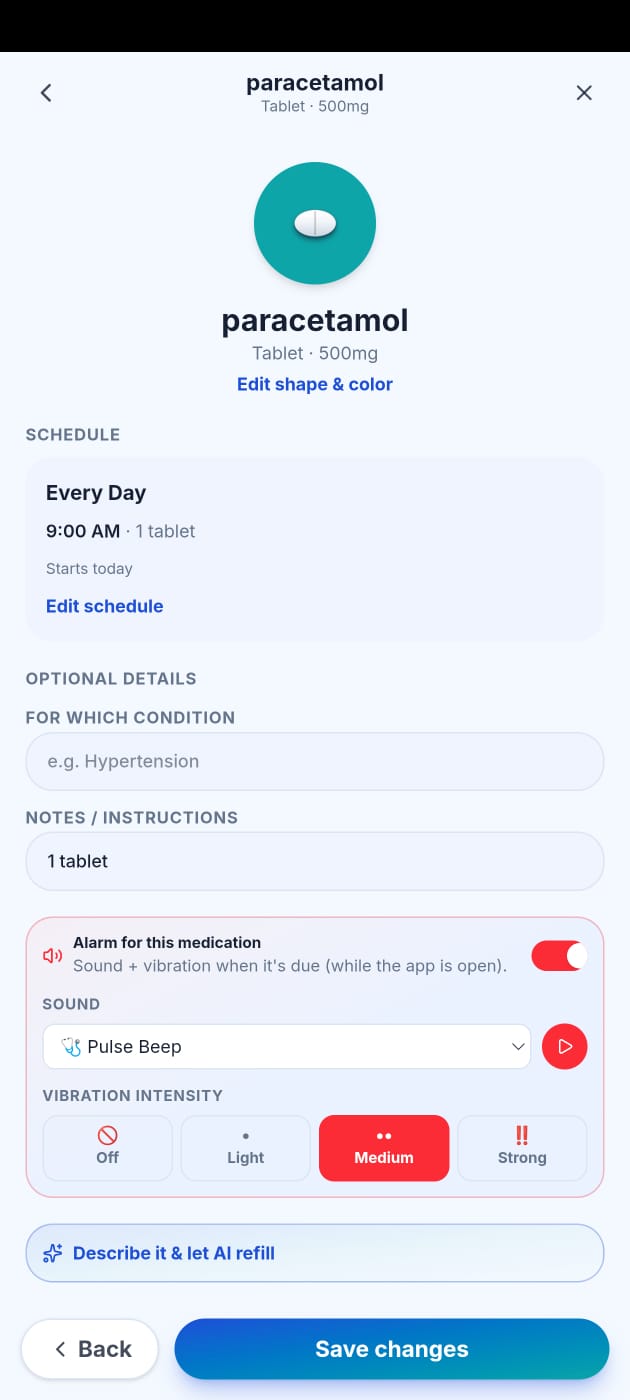
Update name, dose, schedule, or notes.
- 3Save changes
Confirm the new details.
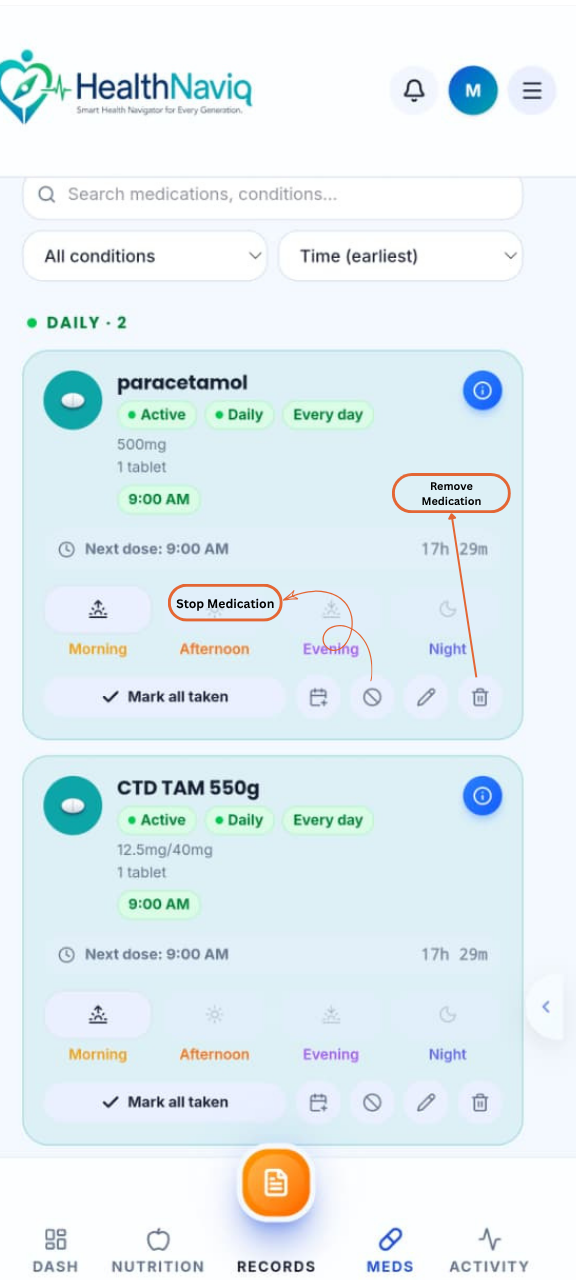
- 4Stop or remove if needed
Deactivate or delete according to the options shown when a medicine is no longer taken.
Buttons & controls
| Control | What it does |
|---|---|
| Edit | Opens the editable form. |
| Save | Applies updates. |
| Delete / Stop | Removes or inactivates the medicine. |
Tips
Notes
Troubleshooting
Reminders still fire after stopping
Confirm the medicine is inactive/deleted and review Reminders settings for leftover alerts.
Related
See related articles linked from this topic for the next steps.