
Overview
Care Wallet is a fast place for cards and essentials you may need at check-in — insurance cards, pharmacy cards, and similar items.
It is optimized for quick retrieval, while Records remains the broader document archive.
Why use it
Having cards ready reduces front-desk friction and helps caregivers find what they need.
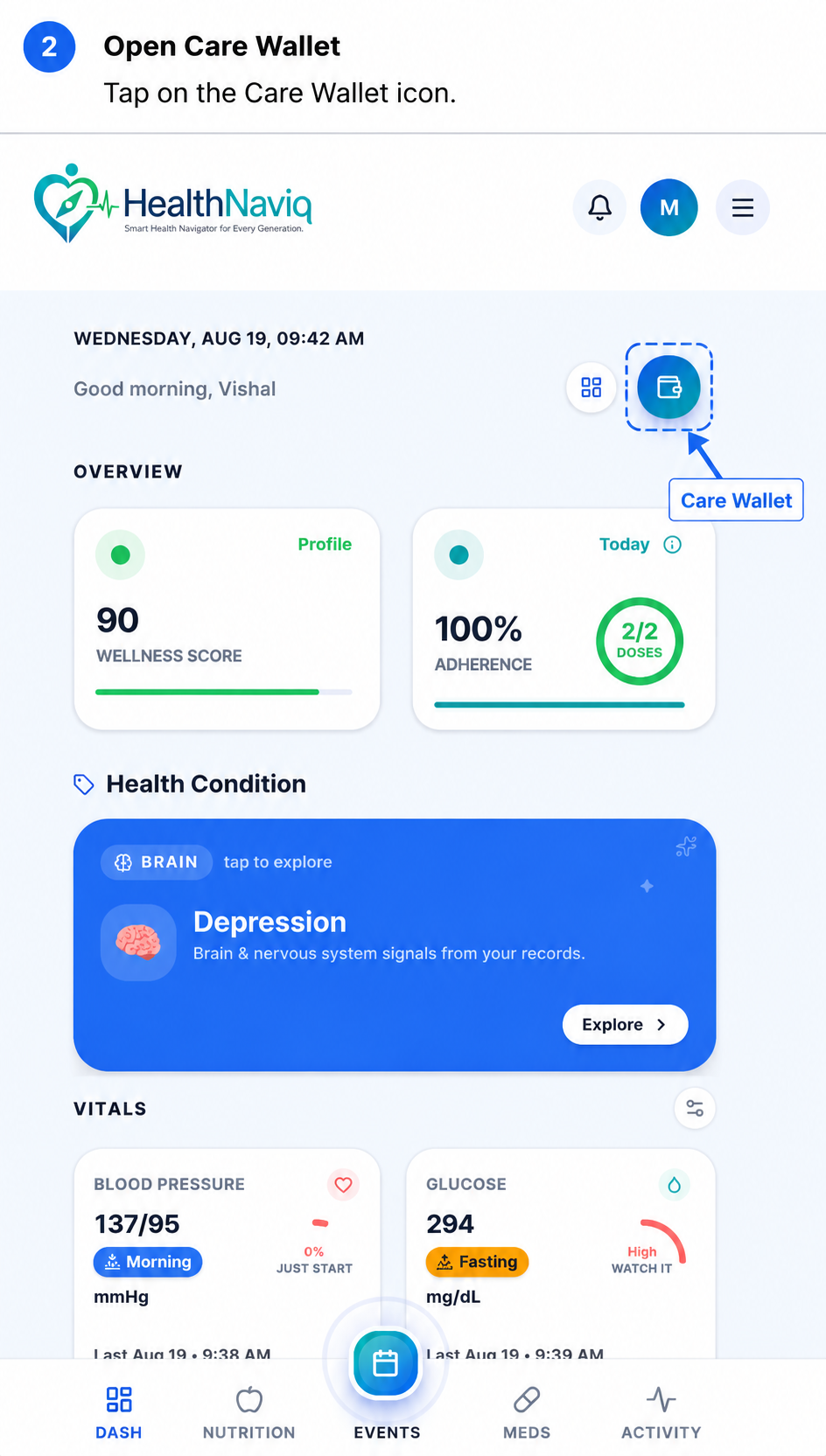
Where to find it
How to
- 1Open Care Wallet
Go to Care Wallet from navigation or a Dashboard check-in.
- 2Add a card
Capture or upload the front/back of a card and save details.
- 3Organize essentials
Keep only current cards; archive or delete outdated ones.
- 4Use at visits
Open Care Wallet when a clinic asks for insurance or ID information.
Buttons & controls
| Control | What it does |
|---|---|
| Add card | Creates a new wallet item. |
| View | Opens a saved card for presentation. |
| Edit / Delete | Updates or removes card details. |
Tips
Notes
Troubleshooting
Card photo unreadable
Retake with higher lighting and crop tightly to the card edges.
Related
See related articles linked from this topic for the next steps.